
How to upload and share APK file on Flybuilds
In the ever-evolving world of mobile app development, quick and secure distribution of your Android application packages (APKs) is essential. Whether you’re a developer testing your latest build or sharing an app with a client or tester, Flybuilds provides the most reliable and user-friendly platform to upload and share APK files via the cloud.
In this guide, we’ll walk you through everything you need to know about uploading and sharing APK files using Flybuilds—from account creation to file sharing, and even managing access permissions. Plus, we’ll explore why Flybuilds is the best tool in your app deployment workflow.
Upload Your First APK Build Now
Get started with Flybuilds for free. Upload APKs up to 500MB and share instant QR codes with your team.
Create Free Account →Why You Need a Reliable APK Sharing Platform
Before diving into the “how-to,” it’s important to understand the why. Developers often rely on third-party services to share app builds with stakeholders. However, generic file-sharing platforms introduce critical friction points:
- File size restrictions: Many generic storage services cap upload sizes or throttle bandwidth on large binaries.
- Slow upload and download speeds: Inefficient servers create long wait times for global QA testers.
- Complicated user interfaces: Forcing clients and testers through multi-step download pages.
- Limited access control: Links are often fully public or difficult to restrict on a per-user basis.
- Lack of analytics or insights: Zero visibility into who downloaded which build and when.
Step-by-Step Guide to Upload and Share APK File on Flybuilds

Flybuilds was built specifically to eliminate these bottlenecks, providing mobile developers with:
- Secure encrypted cloud storage
- Fast upload and download speeds globally
- Simple, one-click installation for testers
- Unlimited test build sharing
- Built-in version control and download analytics
Step 1: Create a Free Account
To get started, visit www.flybuilds.com and sign up for a free developer account. Once registered, you will gain immediate access to your centralized dashboard where you can manage all your Android and iOS builds in one place.
Step 2: Prepare Your APK File
Before uploading, ensure your application package is ready for distribution:
- Confirm whether you are uploading a debug build (for QA testing) or a release build (for client review).
- Adopt a consistent naming convention (e.g.,
app-v1.0.2-debug.apk). - Ensure the file is within limits (Flybuilds supports builds up to 500MB).
- Note: Flybuilds also natively supports
.IPAfiles for iOS testing alongside Android APKs.
Step 3: Upload Your APK File
Once logged into your dashboard:
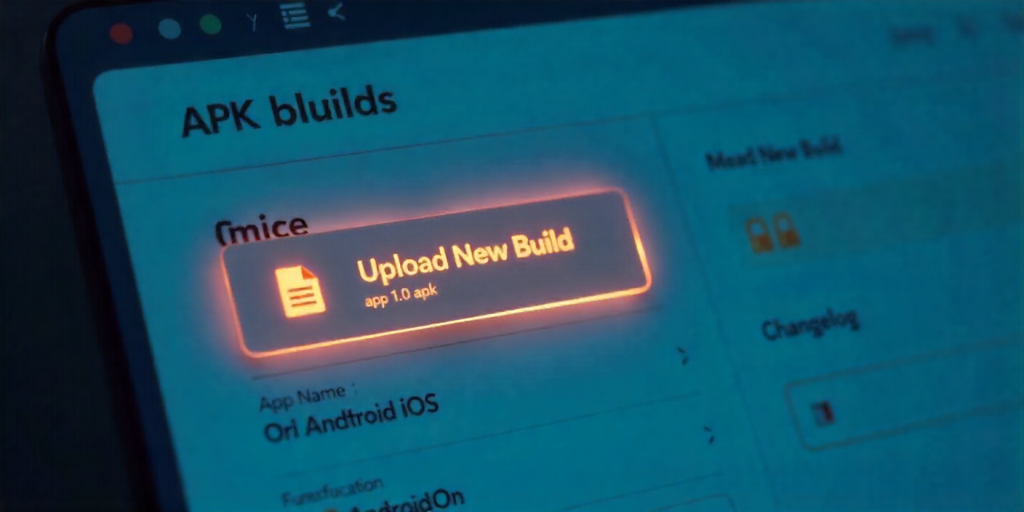
- Navigate to your Dashboard and click on “Upload New Build”.
- Drag and drop your APK file or browse from your local device.
- Add key build metadata, including App Name, Version Number, Platform (Android), and a changelog or release description.
- Click “Upload”. File processing completes in seconds.
Step 4: Share the APK File
Once uploaded, Flybuilds instantly generates a unique, branded download page with sharing options:
- Shareable Link: Copy the secure link to share via Slack, email, or ticketing systems.
- Instant QR Code: Testers simply scan the QR code with their Android camera to trigger immediate direct installation.
- Access Permissions: Choose between public access, invite-only, or password-protected modes.
- Download Tracking: Real-time alerts and logs whenever a tester installs the build.
Step 5: Monitor & Manage Your APK Builds
Flybuilds provides full visibility into your mobile distribution lifecycle:
- Track total download counts and individual tester timestamps.
- Update builds seamlessly while keeping the sharing URL constant for testers.
- Archive or roll back to previous versions with a single click.
- Review device models and Android OS compatibility logs.
Key Features of Flybuilds at a Glance
| Feature | Benefit |
|---|---|
| Secure Hosting | Encrypted storage servers safeguard proprietary binaries. |
| Instant Upload | Optimized cloud upload infrastructure uploads builds in seconds. |
| QR & Link Sharing | Frictionless mobile install with QR scanning; no software install needed. |
| Download Analytics | Accurate logs showing who installed what version, and when. |
| Versioning & Changelogs | Keep multiple test builds organized with clear release notes. |
| Free Plan Available | Start sharing immediately with full features; upgrade as your team scales. |
Common Use Cases for Flybuilds
- Beta Testing: Distribute pre-release APKs to internal QA squads and external beta testers with instant feedback collection.
- Client Demonstrations: Impress clients with clean, branded installation pages that don’t require technical setup.
- Cross-Functional Collaboration: Product managers, designers, and developers test the same version without confusion.
- Continuous Deployment: Push daily automated builds directly from your CI/CD pipelines.
Frequently Asked Questions (FAQs)
Q1: Is Flybuilds free to use?
Yes, Flybuilds offers a generous free tier with comprehensive storage and build sharing features. Upgrades are available for larger teams needing expanded cloud storage.
Q2: Can I share builds with external stakeholders outside my team?
Absolutely. You can generate tokenized public links, password-protected links, or restricted invite-only links depending on your security requirements.
Q3: Does Flybuilds support iOS builds too?
Yes! Flybuilds supports both Android .APK files and iOS .IPA builds with full UDID management.
Q4: What is the maximum file size supported?
Flybuilds supports file sizes up to 500MB per upload, accommodating even the largest Android and iOS applications.
Ready to Streamline Your App Sharing?
Sign up for Flybuilds today and experience the fastest, most reliable way to upload and share APK files.
Get Started for Free →Conclusion
In modern mobile development, having a fast, secure, and professional method to upload and share APK files is critical. With Flybuilds, you streamline build delivery, eliminate version confusion, and empower testers with one-scan installations. Create your free account today and share APK files like a pro.